Loading article introduction…
Loading article body…
Google Ads shows this error when the domain of the email you're inviting isn't in your account's allowed domains list. To fix it, open your Google Ads security settings, add the domain of the email address to the allowed domains, save, and then send the support access invitation again.
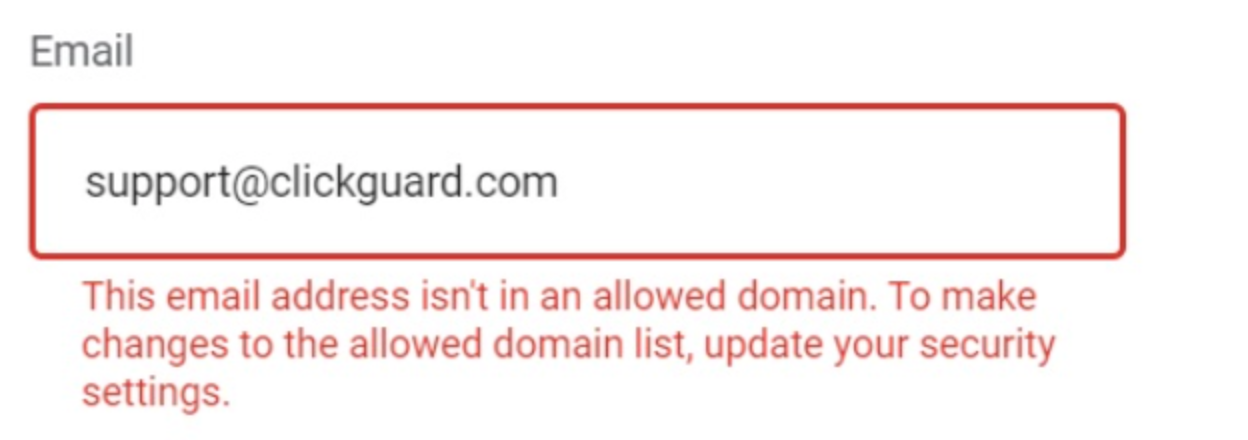
This error happens when the domain of the email address you're trying to add is not in your allowed domains list.
You just need to follow these few simple steps:
Copy the domain of the email you want to add to your Google Ads account. For example: [email protected]; the domain here is clickguard.com
Go to your ADMIN settings, then click on Access and Security → Security → Allowed domains
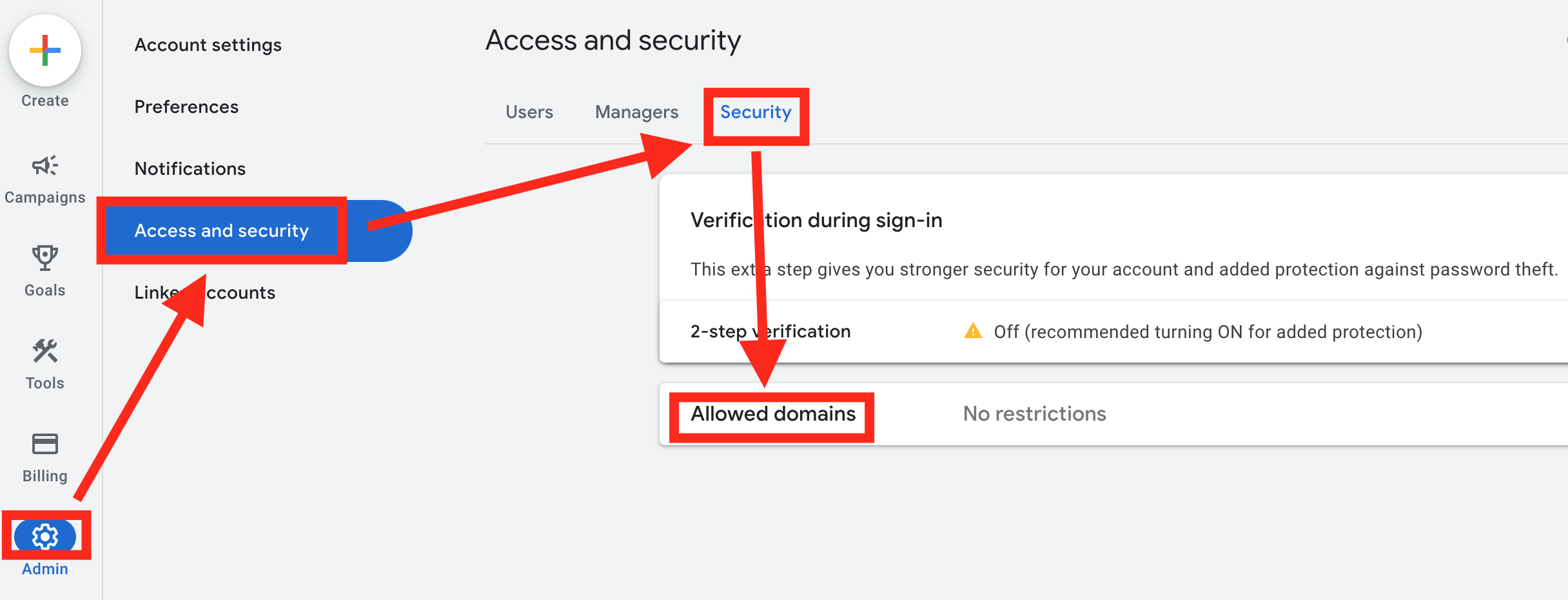
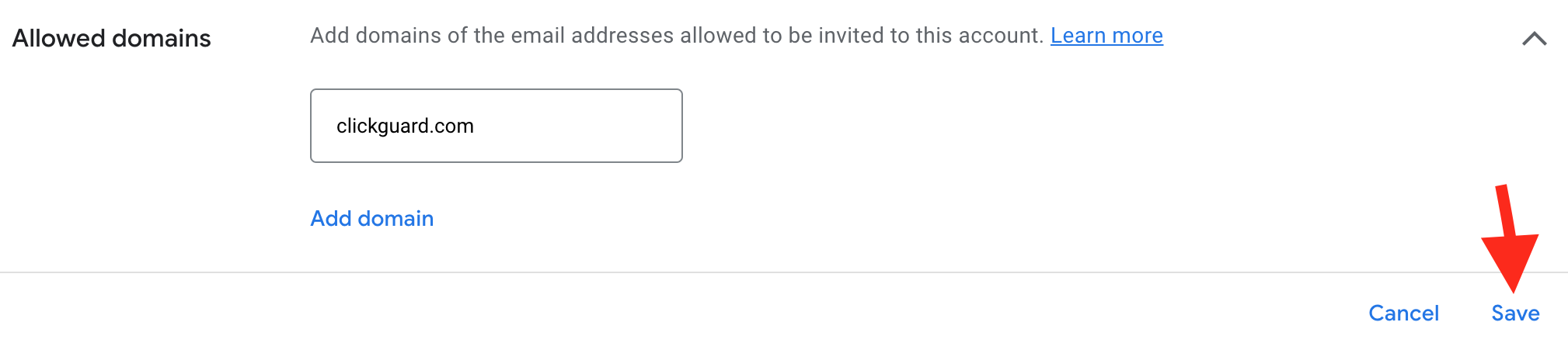
Once you click on Allowed domains, just paste the domain of the email you want to add.
Then click SAVE.
Try granting access again.
See also: How to enable support access to your Google Ads account.