Loading article introduction…
Loading article body…
If ClickGuard's exclusions stay Pending, or blocked visitors still reach your ads, check the usual causes: a sync issue, missing permissions, Google still processing the change, too many exclusions, a Google Ads audience under 100 members, or your Meta audience settings. Each one has its own fix below.
ClickGuard blocks visitors with IP exclusions and with audiences excluded from your campaigns. If your exclusions stay Pending, or visitors ClickGuard blocked still reach your ads, several things could be causing it. Below are the most common reasons and how to fix them.
A Pending exclusion is one ClickGuard has registered but that isn't applied in your ad account yet. Causes 1 to 4 below are the usual reasons.
If ClickGuard can't communicate properly with your Google Ads account, exclusions stay Pending.
Solution:
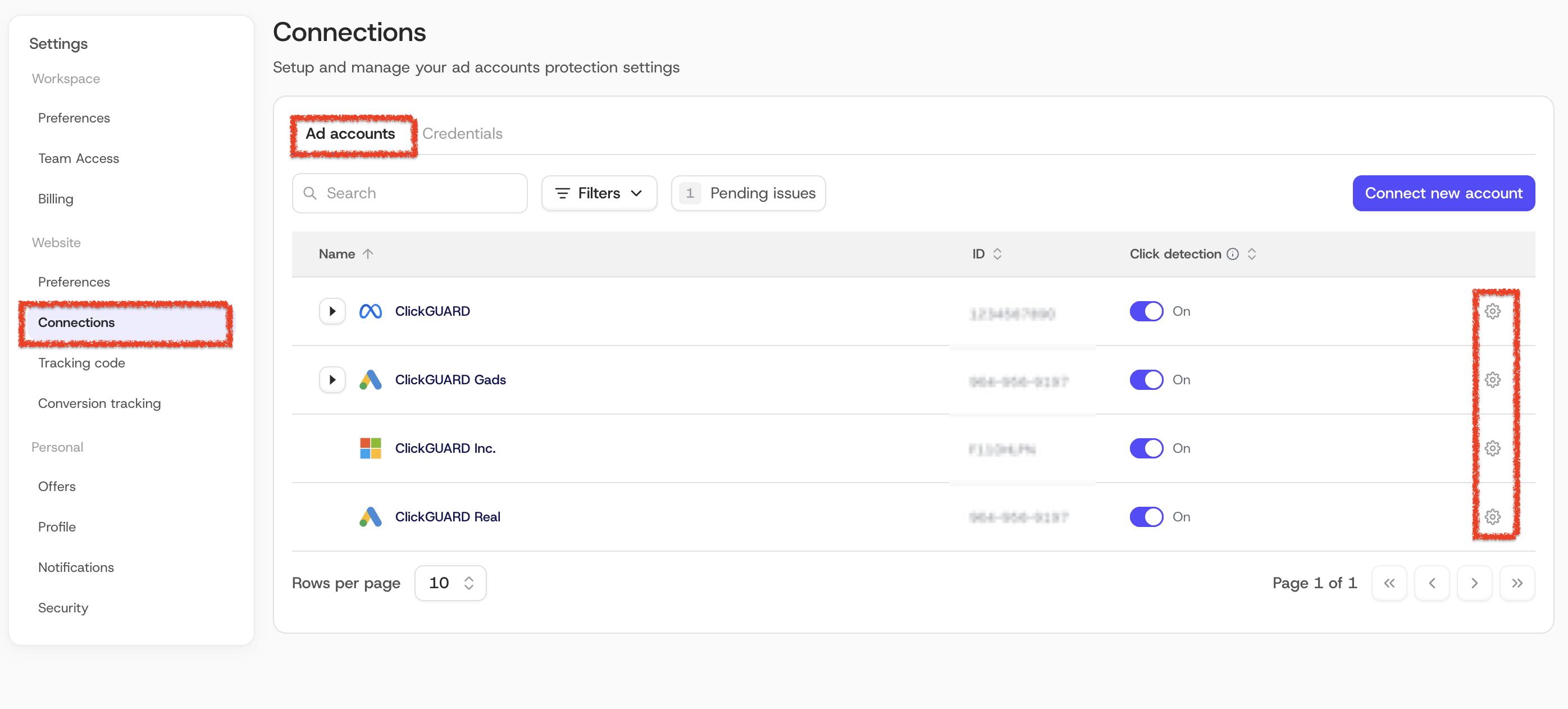
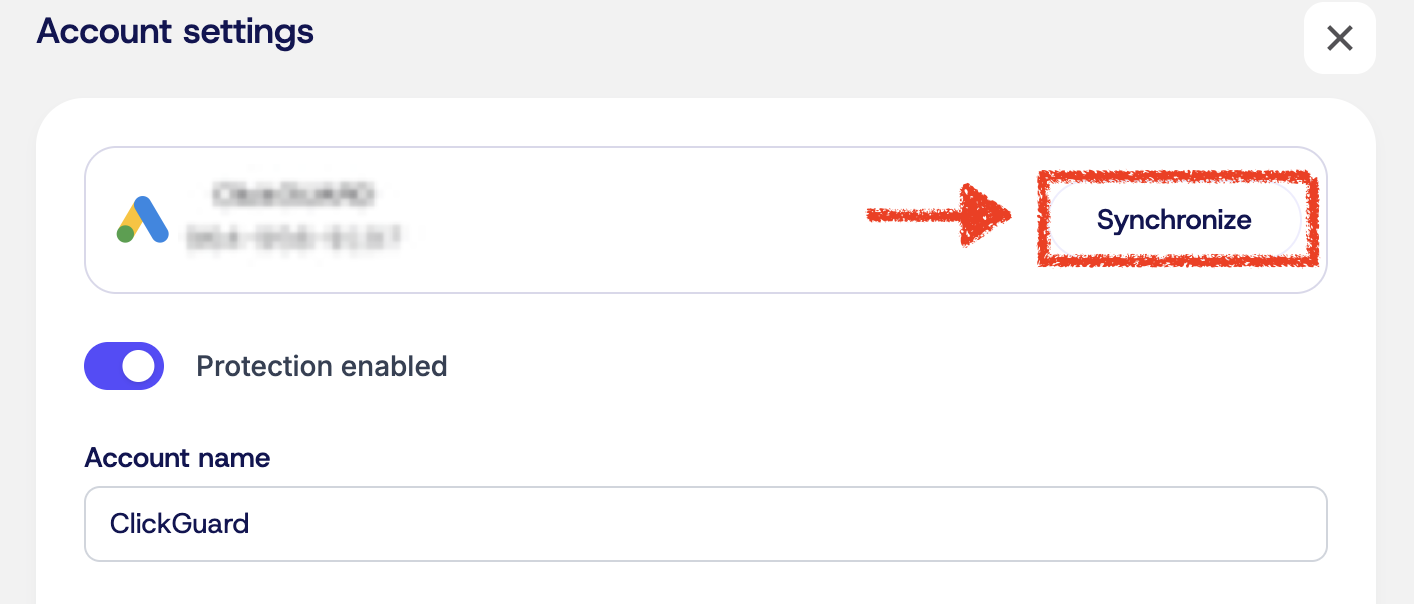
If the Google Ads user connected to ClickGuard only has read access, ClickGuard can't add exclusions.
Solution:
Even when everything is set up correctly, Google can take a few minutes to apply exclusions.
Solution:
Google Ads limits how many IP addresses can be excluded per campaign.
Solution:
Besides IP exclusions, ClickGuard blocks visitors by adding them to an audience that's excluded from your campaigns. Google only starts applying an audience once it has at least 100 members, so a new audience, or one on an account with little traffic, can take a while to kick in.
Solution:
ClickGuard blocks visitors in Meta Ads through audiences, and Meta only lets it create them once its Terms of Service for custom audiences are accepted. See How does ClickGuard block visitors in Meta Ads.
Solution:
If Automatically set excluded audience to ad sets is unchecked, ClickGuard still builds the audience but doesn't add it to your ad sets, so blocked visitors can still see your ads.
Solution:
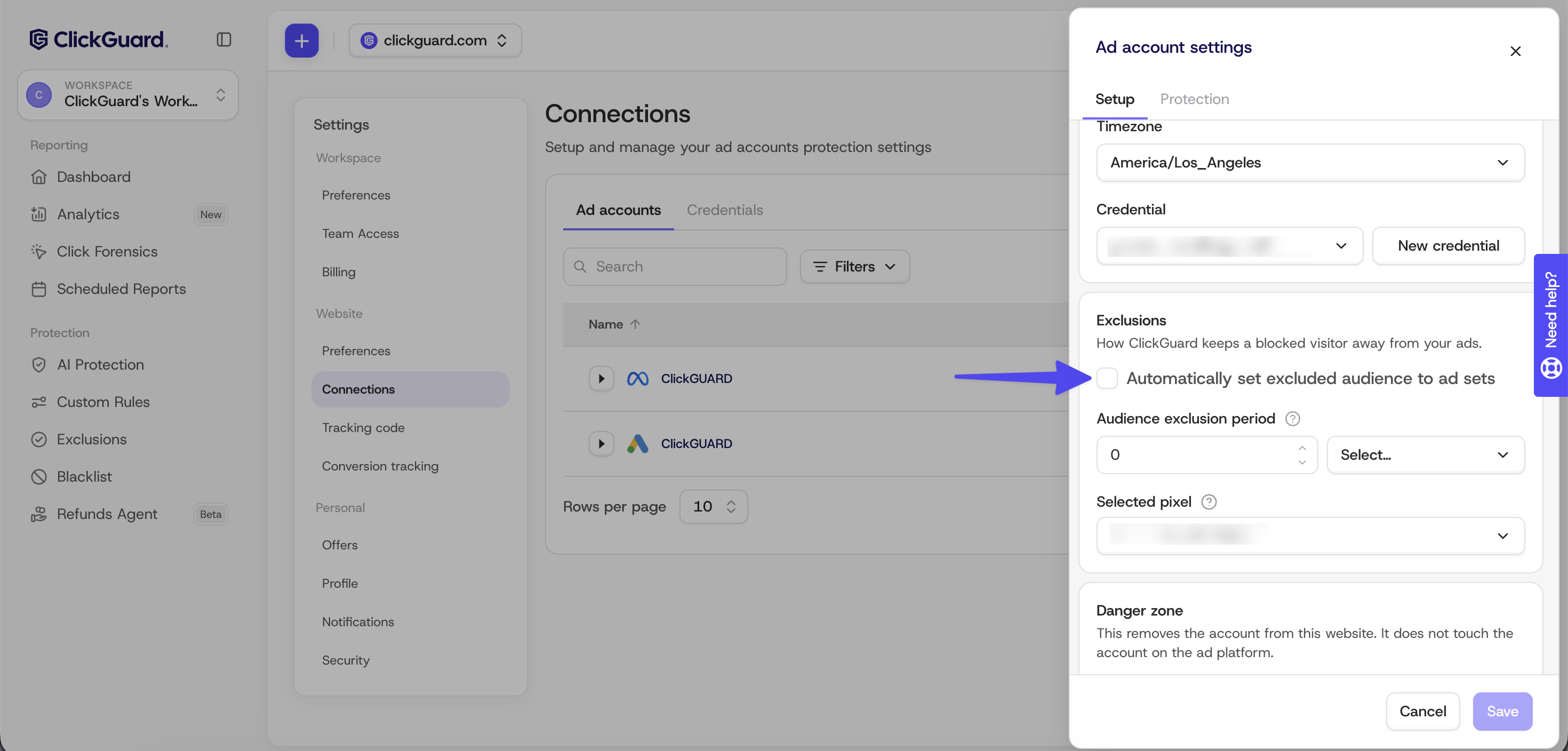
ClickGuard builds the Meta excluded audience from your Meta pixel, so without one there's nothing to exclude.
Solution:
Exclusions still not working? Contact [email protected] with a screenshot of the pending exclusions, your ad account ID and when the exclusions were created.