Loading article introduction…
Loading article body…
This month's ClickGuard update features our Chrome extension for Meta Ads, so your protection data sits next to your campaign metrics, ISP and ASN conditions that block bad traffic by network, and all-new Support Center that makes ClickGuard easier to learn and master.
Welcome to this month's ClickGuard's updates!
To those of you who are new, welcome! And to those who have been here for a while, thanks as always for your support. Let's dive in 👇
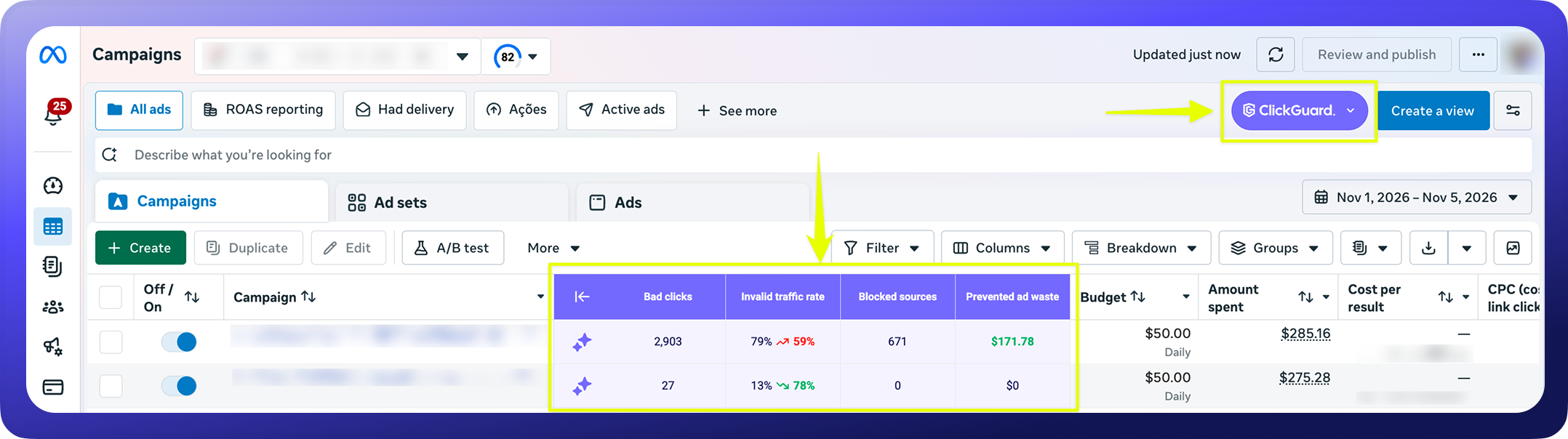
The ClickGuard Chrome extension already brought your protection data into Google Ads. Now it works in Meta Ads Manager too*. Your ClickGuard numbers sit right next to the campaign metrics you already review, so you can see where budget leaks without leaving Meta.
*Available on Standard, Pro and Custom plans
Install it and see the setup steps here.
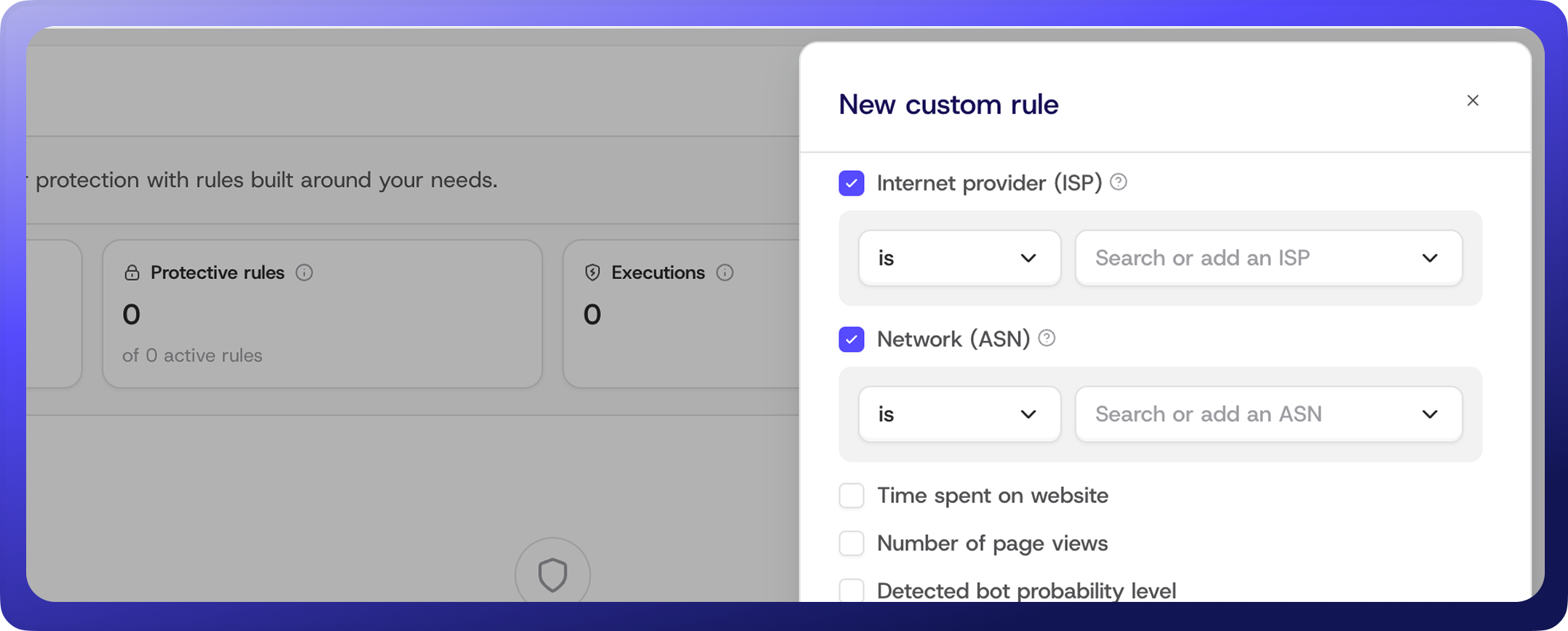
Blocking IPs one by one won't stop bots that rotate addresses inside the same data center. Custom rules now take two new conditions: Internet provider (ISP) and Network (ASN). Target the network a click comes from, and the rule fires no matter which IP on that network it uses.
Pick from the ISPs and ASNs that sent you clicks in the last 30 days, or add one you haven't seen yet.
Go to Custom Rules, click Add rule, and pick ISP or ASN from the conditions list.
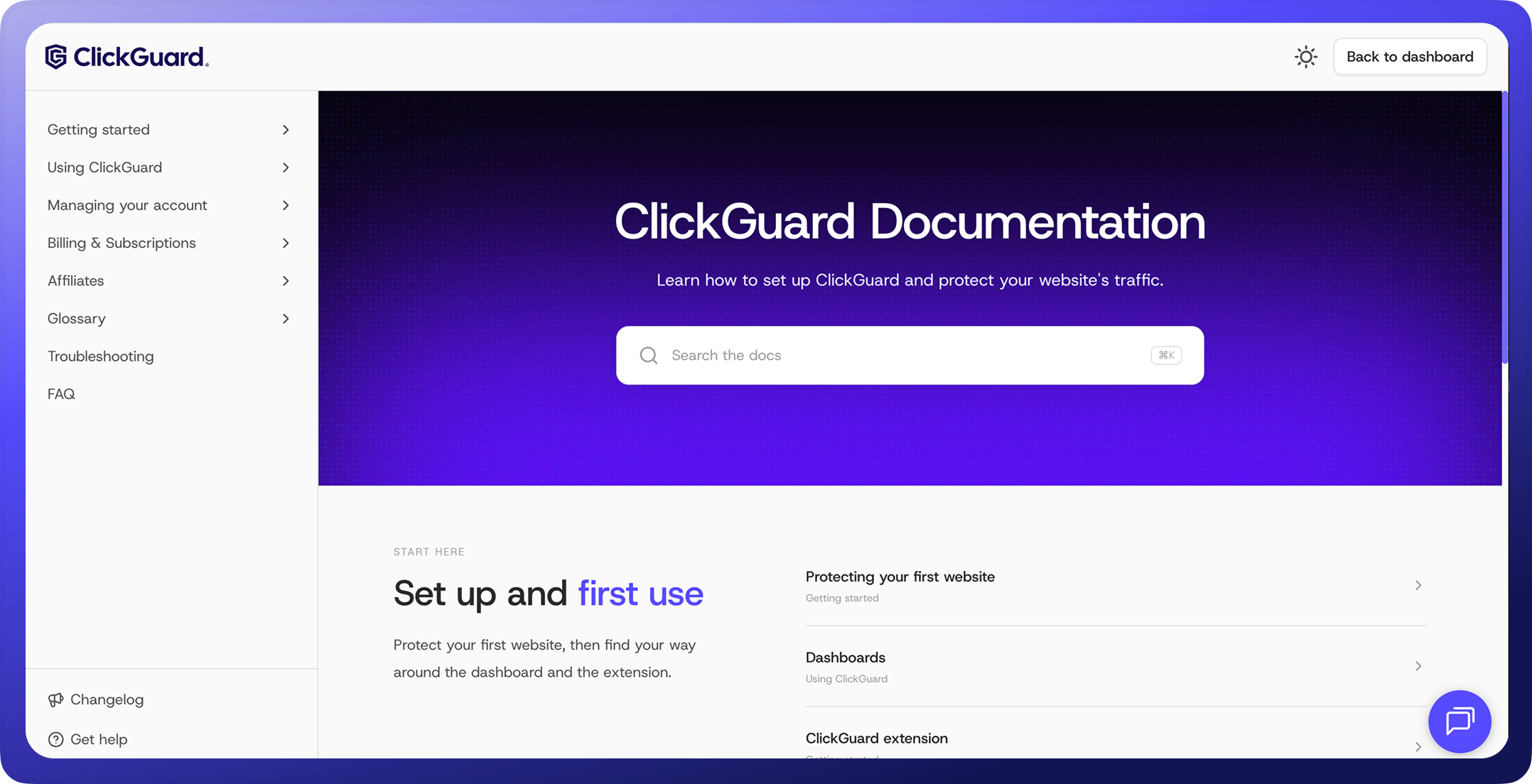
Getting the most out of ClickGuard shouldn't depend on waiting for a reply from support. We rebuilt our Support Center from scratch so you can find the answer yourself, when you need it.
Whether you're setting up your first website or fine-tuning protection rules across client accounts, start here.
Already in ClickGuard app? Click the "?" icon in the top-right corner to open the Support Center without leaving the app.
Make sure to follow us for more updates