Loading article introduction…
Loading article body…
Add team members in Settings › Team access and choose which workspaces each one can see. There are two roles: a Manager can change protection settings, create custom rules and manage data and invoices, while an Analyst can only view data and reports, without changing any settings.
You can assign team members to one or more workspaces you are managing with ClickGuard.
Go to your Settings → Team access tab where you can add and manage team members and their permissions for your workspace(s).
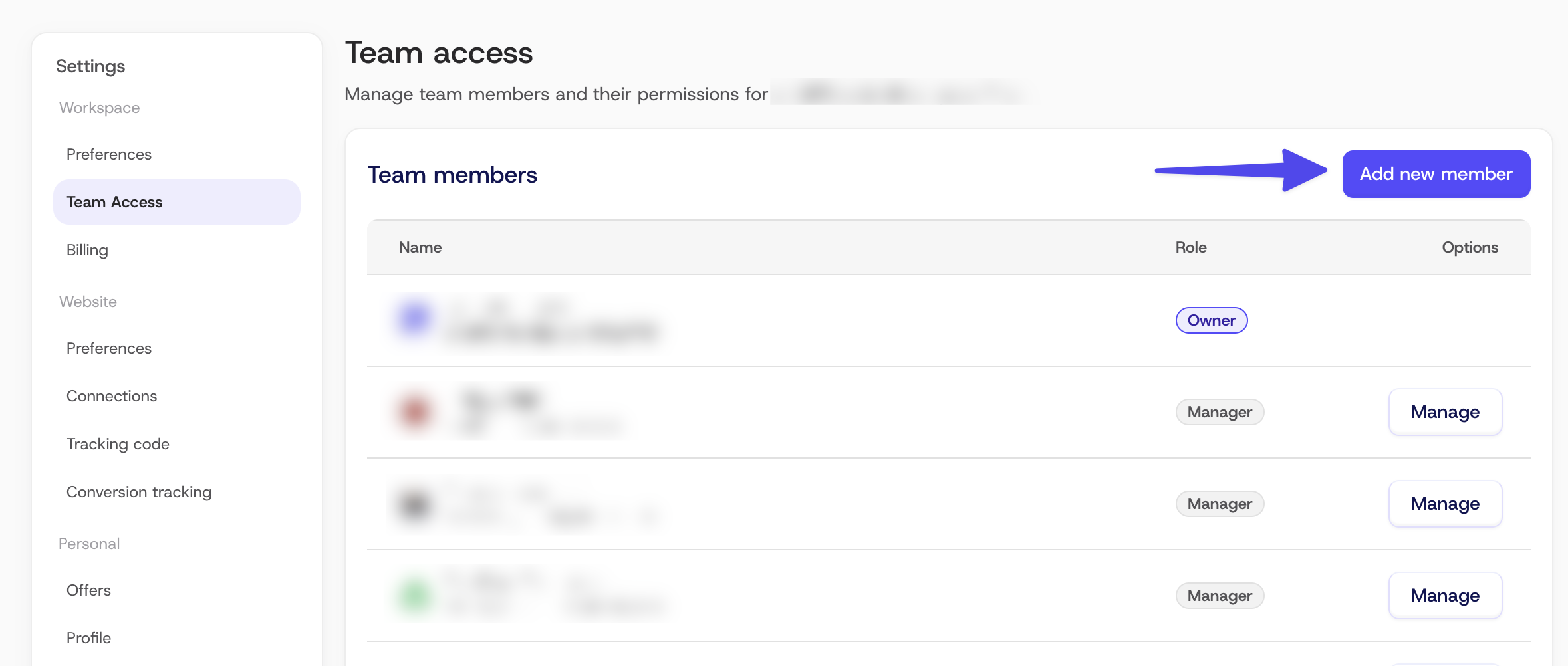
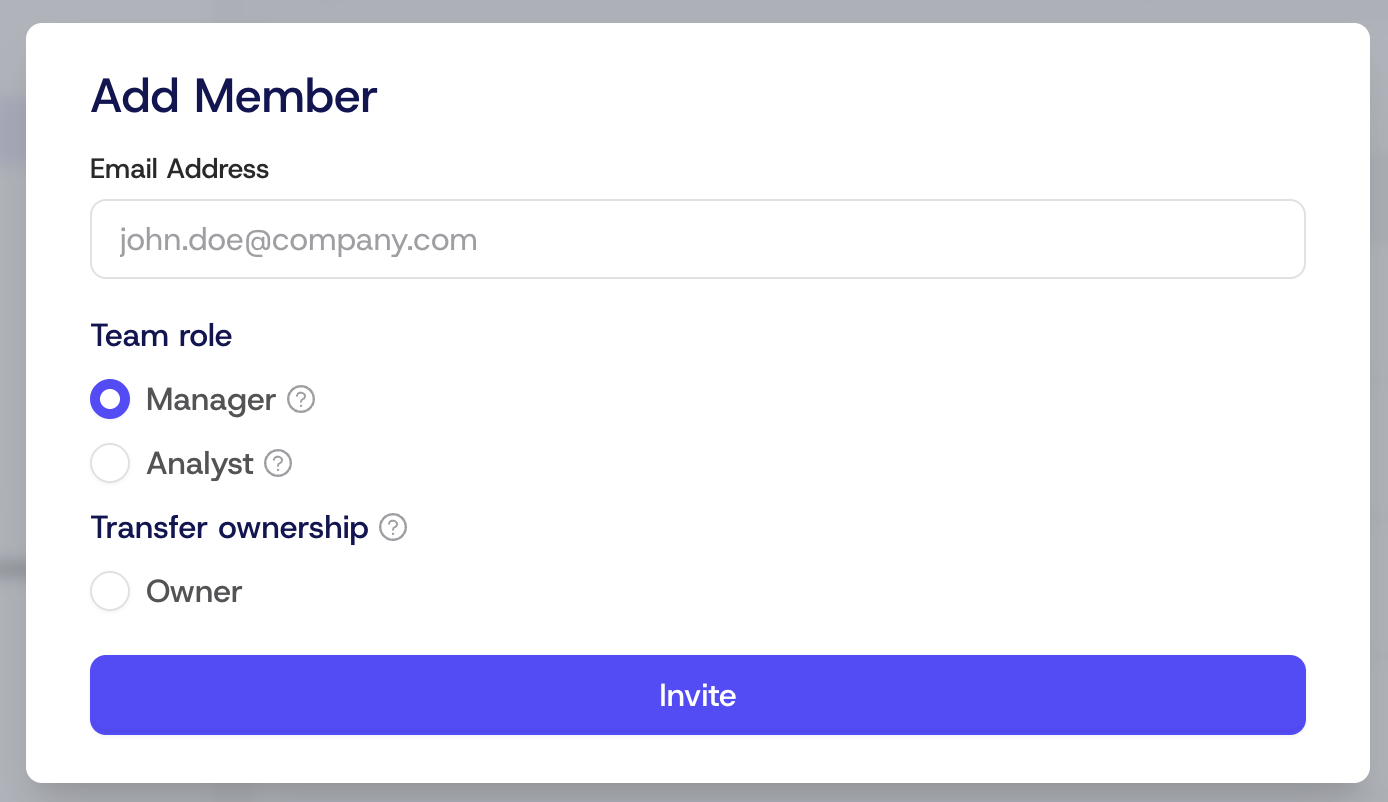
After you write down the email address of a person you want to add as a team member and click on the Invite button, they will get an instant email to accept the invitation. Their user type (Manager or Analyst) will determine their access level.
See also: What is a ClickGuard workspace.